
Sell
A point of sale that keeps trading
Take cash, card or mobile money, open and close shifts, print receipts and keep selling when the connection drops.
- Barcode and keyboard search
- Offline queue with allowances
- Receipts, returns and credit notes
Sell online or offline, keep stock honest across locations, receive purchases, handle returns and see the profit left after it all. Tavli One joins the counter to the books.
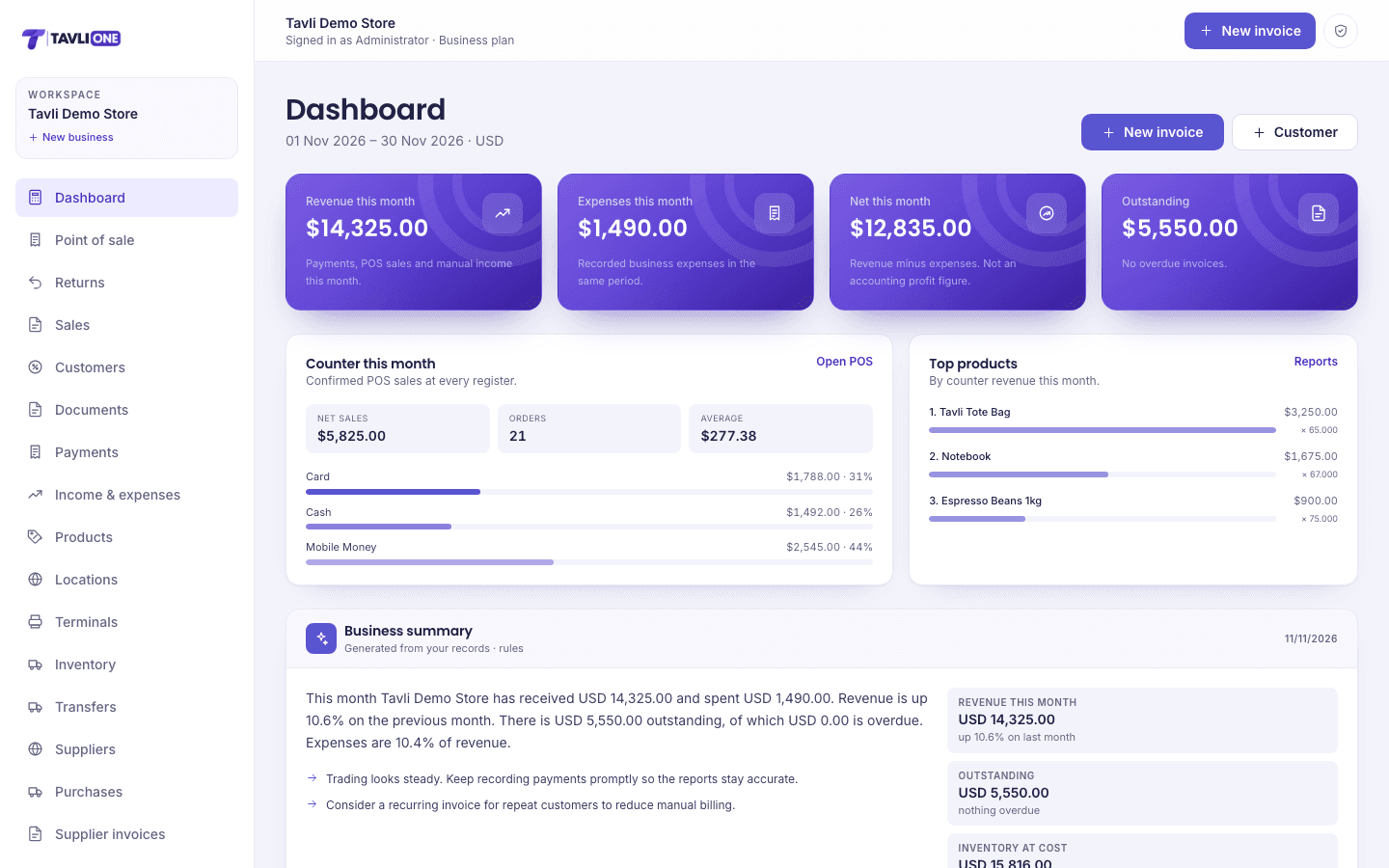
Revenue
$14,325
Net
$12,835
Outstanding
$5,550
Expenses
$1,490
Sell anywhere
Online, offline and on the LAN
One stock ledger
Every sale, receipt, return and count
Real gross profit
After returns and cost of goods
Controls that fit
Owner, admin, member and cashier
The full system
Selling, stock, purchasing, returns and reporting share the same records. A sale is not a separate spreadsheet from the stock it moved.
Sell
Take cash, card or mobile money, open and close shifts, print receipts and keep selling when the connection drops.
Stock
Receive purchases, move stock between shops, count what is on the shelf and see exactly what changed.
Money
Send professional documents, allocate one payment across invoices, chase balances and issue statements.
Decide
See gross profit after returns, payment mix, top products and which location or cashier is performing.
Everything included
The parts that usually become spreadsheets, group chats and month-end panic are built in.
Fast checkout, shifts, cash reconciliation, receipts and cash-drawer control.
Device queues, per-register allowances and background sync protect stock while disconnected.
Suppliers, purchase orders, approvals, goods receiving and supplier invoices.
Partial refunds, restock rules, printable credit notes and email delivery.
Move stock between shops with an immediate, auditable movement ledger.
Count by location, save drafts, approve variances and export the result.
Quotes, invoices, receipts, part payments and unallocated customer credit.
Owner, admin, member and cashier permissions with a full audit trail.
Serial ESC/POS printing, browser printing, scanners and cash drawers.
Per-location stock, registers, shifts and reporting across the business.
Email financial, advanced or POS reports daily, weekly or monthly.
Pair shop terminals, monitor heartbeats and run several registers on one server.
A day on Tavli One
Each step updates the next. Stock moves when a sale is confirmed, purchasing changes what is on the shelf, and reporting reads the same ledger.
Open the shop
Open a shift, set the float and choose the register.
Sell and take payment
Scan or search, add items, take payment and print the receipt.
Stock follows
Confirmed sales deduct the right location; returns restock only when you allow it.
Receive and move
Approve a purchase order, receive goods, transfer between shops.
Close and count
Reconcile counted cash against expected takings.
Review the day
Check profit, payment mix, stock alerts and export the report.
Built for real shops
The POS installs as a PWA, queues sales on the device and synchronises through idempotent checkouts. Terminals can share one server across the shop network, with per-register stock allowances and cashier controls.
ESC/POS printers and cash drawers
Barcode scanner input
Per-register offline allowances
Pairing codes and terminal heartbeats
Owner
Full access, billing and every location.
Admin
Operations, purchasing, team and settings.
Member
Day-to-day records without team control.
Cashier
POS, sales and customers only.
Every sensitive action is auditable
Role changes, purchasing decisions and stock movements leave a record instead of disappearing into a group chat.
Free tools
No account needed for the standalone tools. Use them on their own, or run them alongside the workspace.
Profit
Work out gross profit, net profit and profit margin from your revenue, cost of goods and additional expenses.
Profit margin
Calculate profit and profit margin as a percentage of selling price, and see the equivalent markup.
Break-even
Find the number of units and the revenue you need to cover fixed costs, based on price and variable cost per unit.
VAT / sales tax
Add tax to a net amount or remove tax from a gross amount using your own tax rate, with a clear breakdown.
Loan repayment
Estimate the periodic repayment, total repayment and total interest on a fixed-rate amortising loan.
Freelance rate
Work out the hourly rate you need to earn your target income after expenses and unbillable time.
Guides
Short explanations of profit, pricing, tax and cash flow.
Add tax to a net price and remove it from a gross price correctly, and see why subtracting the rate from a gross figure is always the wrong move.
Read the guideMargin and markup describe the same profit from different starting points. Confusing them is one of the most expensive pricing mistakes a small business can make.
Read the guideWrite quotations that win the work without giving away scope: how to define what is included, set validity, list assumptions and handle acceptance.
Read the guideStart with the free tools. When the shop is ready, move selling, stock and reporting into one workspace.
No card required · Free tools stay free · Upgrade when you need POS and purchasing